
GrowIt: Vegetable Garden Care
Glority Global Group Ltd.Lifestyle
4.3245.00 Reviews
- Version
- 1.2.3
- Installs
- 500.00K
- Age Rating
- Everyone
Screenshots
Our Review of GrowIt: Vegetable Garden Care
 Analysis by Appyee
I like the idea behind GrowIt: Vegetable Garden Care: it aims to make growing food feel manageable, especially when you are still learning what a plant needs and when to act. Its strongest appeal is the mix of planting guidance and a place to keep garden care in view. I would treat it as a helpful companion rather than a substitute for observing your own plants, because weather, soil, containers, and growing conditions can vary from one garden to the next.
A guide that works best alongside your own observations
As a lifestyle app from Glority Global Group Ltd., GrowIt is built around vegetable, fruit, and plant care rather than the broader inspiration you might get from a general gardening feed. That focus is useful when you have a practical question in mind: what to plant, how to care for it, or what task you should remember. The app is free to download, with optional in-app purchases, so you can explore its basic approach before deciding whether any paid additions suit you.
The app’s location-based recommendations are a sensible starting point, not a guarantee that every suggestion will thrive in your particular spot. A sunny balcony, a shaded yard, and a windy windowsill can behave very differently even in the same area. I’d use the local guidance to narrow down possibilities, then check how many hours of direct light your space actually gets and whether your pots or beds drain well. That small reality check can save you from choosing a plant that looks appropriate on paper but struggles where you grow it.
Making plant advice practical
Plant profiles are most useful when you turn them into a simple routine. Instead of trying to memorize every care detail, I’d check a plant’s needs when adding it, then use the watering, sunlight, and pest guidance as prompts during regular garden checks. A quick look at leaves and soil still matters: a reminder can tell you to pay attention, but it cannot judge whether rain has already watered a pot or whether a plant is showing stress.
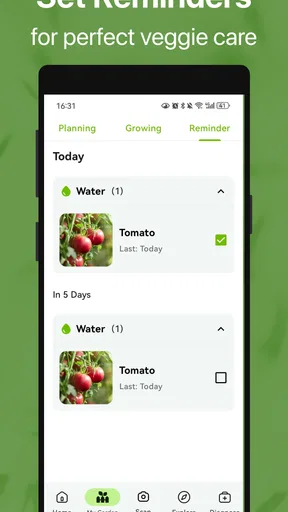
That distinction is especially important for watering. Treat a schedule as a cue to inspect, not an instruction to pour water automatically. Container size, soil mix, recent weather, and the plant’s stage of growth all affect how quickly soil dries. If a reminder arrives after a rainy day, checking the soil before watering is a better habit than following the alert blindly. This is a practical way to get value from task prompts without letting them become a source of overwatering.
Use the community for context, not just answers
The community can add a useful human perspective to plant profiles. When asking for advice, I’d describe the plant, its container or bed, the light it gets, and what has changed recently. A clear description makes it easier for other gardeners to offer suggestions that fit your situation. It also helps to compare several replies rather than treating one person’s experience as a universal rule; gardening advice often depends on local conditions and individual setups.
Sharing progress can be worthwhile even when you are not looking for help. A photo or short note about when you planted something gives you a rough record to compare with later, especially if you try the same crop again. That kind of personal record can reveal patterns a general guide cannot, such as which corner of your balcony gets enough sun or which container dries out first. I’d keep those observations simple and consistent rather than trying to document every small change.
Planning around a real week
One realistic way to use the app is to check it while planning a weekend planting session. You can review what you hope to grow, look over each plant’s care needs, and make a short list of the materials or tasks you should prepare. During the week, reminders can bring your attention back to the garden, while a quick visual check tells you whether the task still makes sense. This division—app for planning, eyes and hands for decisions—feels more dependable than expecting a phone to manage a living garden by itself.
It can also help to begin with fewer plants than your enthusiasm suggests. If you are new to growing food, choose a small number that fit your available space and routine, then learn how those plants respond before expanding. The app’s plant library may tempt you to experiment widely, but every additional crop brings different care demands. A modest first setup makes it easier to notice what is working and to build confidence without turning gardening into a long checklist.
Where it differs from familiar alternatives
Compared with a paper gardening book, GrowIt is more convenient for checking a plant profile and keeping reminders close at hand. A book, on the other hand, can be easier for browsing in depth without notifications or a phone nearby. Compared with general gardening websites, the app’s personal garden and location-aware guidance give the experience a more practical frame, while a website may be better when you want to compare several detailed explanations or consult a specialist source on a particular problem.
It also differs from a simple notes or calendar app. Those tools can track dates and tasks, but they do not provide the same plant-focused guidance and community setting. If you already maintain a detailed gardening journal and know your crops well, a basic calendar may be all you need. If you are learning, or want plant information and task nudges together, GrowIt has a clearer purpose. I would not use it as the only authority for serious pest or disease problems; a local gardening expert or trusted regional resource may offer more specific help.
Who will get the most from it
I’d recommend it most to beginners, casual growers, and people managing a small edible garden who want structure without turning the hobby into a technical project. It can be particularly handy for someone growing a few vegetables in containers, where remembering to check different plants can be harder than it first sounds. The community may also appeal to people who enjoy learning from other growers rather than relying only on a reference guide.
It is less suitable for gardeners who want detailed crop-planning tools, precise local agronomy, or complete control over every task and record. Experienced growers with established routines may find the introductory guidance less valuable, and anyone who prefers not to use a phone while gardening may be happier with a printed reference and a notebook. The app is rated for Everyone, and its current version is 1.2.3; the overall rating is 4.3 from around 3.4 thousand ratings, with more than 500 thousand installs. Those figures suggest a sizable audience, but they do not tell you whether its particular style will fit your garden or habits.
Getting a fair sense before paying
Because the app is free with in-app purchases priced from $5.99 to $39.99 per item, I’d start by setting up a small garden and checking whether the plant guidance and reminders fit your routine before spending anything. The paid options may be worthwhile for someone who uses the app regularly, but occasional growers should first decide whether the free experience already covers their needs. A price alone cannot establish value; what matters is whether the extra content or tools solve a problem you actually have.
GrowIt was released on February 5, 2024, and requires operating system version 10 or later. Before installing, it is worth checking that your device meets that minimum. Once you begin, give the location setup enough attention to make recommendations relevant, but remember that local climate information cannot account for every microclimate around a house. Keeping a note of your own sun exposure and watering conditions will make the app’s suggestions more useful over time.
Getting Started with GrowIt: Your New Gardening Companion
Jumping into GrowIt: Vegetable Garden Care is a breeze. From the moment you download it, the app welcomes you with a clean, user-friendly interface that's as refreshing as a morning dew. It's like having a knowledgeable friend right in your pocket, ready to offer advice at the tap of a finger.
Setting Up Your Virtual Garden
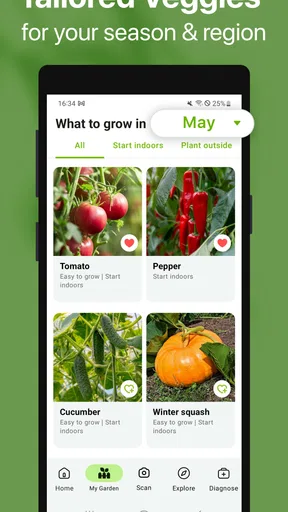
First things first, the app helps you set up a virtual garden. You can personalize it based on your geographical location, which is crucial for getting tailored planting tips. The app even factors in local climate conditions, so you know exactly what veggies will thrive in your area. Trust me, it feels like magic when you see personalized recommendations popping up!
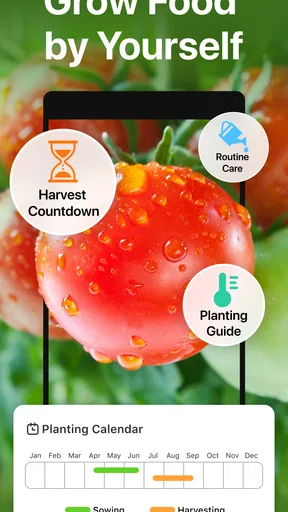
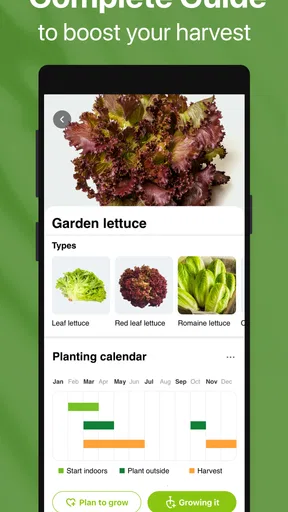
Once you've set up your location, you can add different plants to your virtual garden. Each plant comes with detailed care tips, including watering schedules, sunlight needs, and pest management. It’s like having a mini encyclopedia at your fingertips.
Planting and Growing Tips
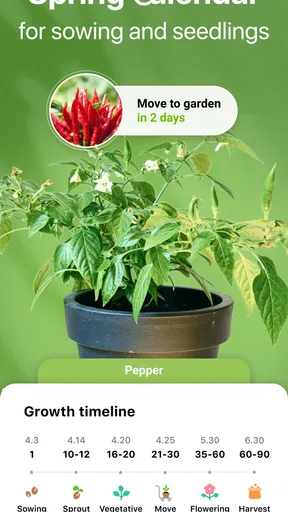
Now, onto the real action—planting! The app provides a step-by-step guide on how to plant your chosen veggies. From preparing the soil to planting the seeds, and even tips on how to nurture them as they grow, GrowIt covers it all. The best part? It's all laid out in simple, easy-to-follow instructions.
Community Engagement: Share and Learn
One of the standout features of this app is its community aspect. You can connect with other gardening enthusiasts, share your progress, exchange tips, and even seek advice. It's like being part of a gardening club without leaving your home. The community is vibrant and supportive, making it a fantastic place to learn and grow together.
Visual Delight: A Feast for the Eyes
Let’s not forget the visual appeal! The app is packed with stunning images of plants and gardens that are not only inspiring but also serve as a handy reference. It’s like flipping through a beautifully illustrated gardening book.
Notifications: Your Friendly Reminder
We all know life can get busy, and sometimes, gardening tasks can slip through the cracks. But fear not, because the app sends you reminders about important tasks, like watering and fertilizing your plants. It's like having an assistant who gently nudges you to keep up with your garden duties.
Exploring New Horizons: Discover and Experiment
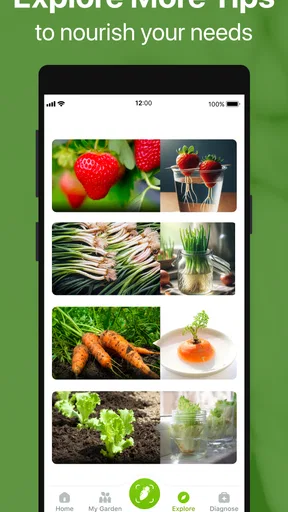
If you’re feeling adventurous, the app encourages you to try planting something new. With its extensive library of plant profiles, you can explore and experiment with different vegetables, herbs, and fruits. Who knows? You might discover a new passion for exotic plants!
Final Thoughts: A Must-Have for Garden Lovers
All in all, GrowIt: Vegetable Garden Care is a gem for anyone interested in gardening. It’s informative, easy to navigate, and incredibly supportive. Whether you're nurturing a small balcony garden or a sprawling backyard plot, this app is your go-to guide. It’s more than just an app; it’s a community, a guidebook, and a reminder service rolled into one.
So, if you’re ready to embrace your inner gardener and watch those plants flourish, give GrowIt a try. Happy gardening!
Verdict
Strengths of GrowIt: Vegetable Garden Care
- User-friendly interface for beginners.
- Comprehensive plant care tips included.
- Community support for quick advice.
- Customizable garden tracking features.
- Seasonal planting reminders provided.
Limitations of GrowIt: Vegetable Garden Care
- Limited plant database for exotic species.
- Occasional app crashes reported.
- In-app ads can be intrusive.
- Requires internet for full functionality.
- No offline mode for remote areas.
Other Releases by Glority Global Group Ltd.
View All
PictureThis - Plant Identifier
Education4.6

Mobile Scanner App - Scan PDF
Productivity4.7

Plant Parent: Plant Care Guide
Lifestyle4.5
Similar Picks in This Category
View All
SmartThings
Samsung Electronics Co., Ltd.4.6

Google Home
Google LLC4.0

Pinterest4.2

Astrotalk - Talk to Astrologer
Astrology & Horoscope4.7

My Verizon
Verizon Consumer Group4.5

Samsung Wallet (Samsung Pay)
Samsung Electronics Co., Ltd.4.1
Frequently Asked Questions
What is GrowIt: Vegetable Garden Care, and how does it work?
GrowIt: Vegetable Garden Care is an app designed to help users manage their vegetable gardens with ease. It provides detailed information on planting, growing, and harvesting various vegetables. Users can access guidelines, tips, and a community of gardeners to share experiences and advice, making it a comprehensive tool for both beginners and experienced gardeners.
Does GrowIt: Vegetable Garden Care require a constant internet connection?
While GrowIt offers offline features like plant care guides and personal garden tracking, an internet connection is required to access community features, updates, and any additional resources. This connectivity ensures users can participate in forums, receive the latest gardening tips, and sync their progress across devices.
Is GrowIt: Vegetable Garden Care free to use, or are there in-app purchases?
GrowIt is free to download and use, offering a wide array of features at no cost. However, it does offer in-app purchases that unlock premium content and advanced features, such as personalized gardening plans and ad-free usage. These purchases are optional and designed to enhance the overall gardening experience.
Can GrowIt: Vegetable Garden Care help with pest management?
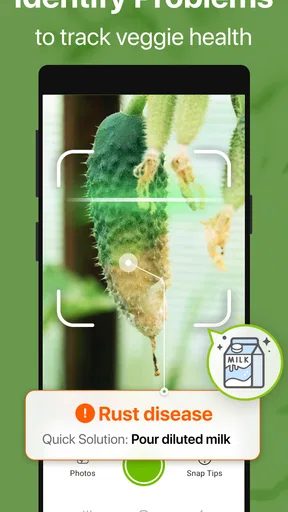
Yes, GrowIt provides valuable insights into pest management. The app includes a section dedicated to identifying common garden pests and offers organic and conventional solutions. Users can learn about preventive measures and treatments to protect their plants, ensuring a healthy and productive garden.
How does GrowIt support community interaction among gardeners?
GrowIt fosters community interaction by allowing users to connect with fellow gardeners through forums and social features. Users can share photos, ask questions, and provide tips, creating a supportive environment. This feature enables gardeners to learn from each other’s successes and challenges, building a collaborative gardening network.
